KENWOOD DVF-5010, DVF-9010, DVS-701
Changes region code
1. Open a
bonnet
At the DVF-9010 and DV-S701, remove a
D.R.I.V.E.II unit on the unit of an output terminal, which is
located back panel side.
2. On the output terminal unit at right side,
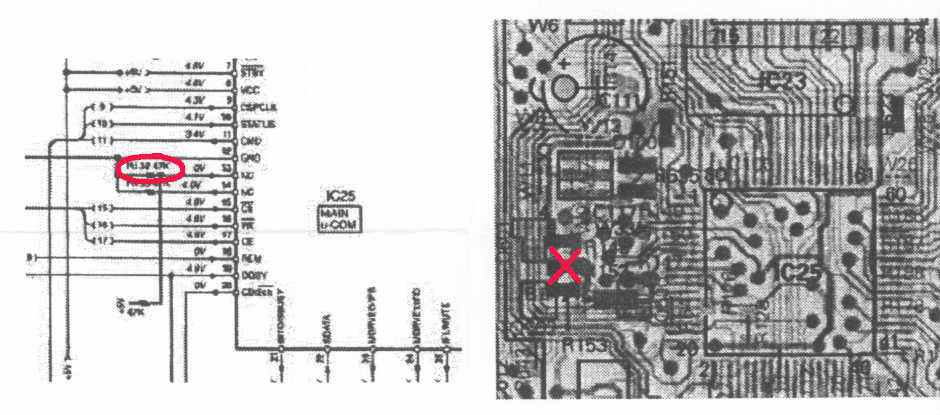
view from a front panel. Recognize micro Computer chip of the
IC25.
3. Beside the IC25, also recognize three chip
resistors around silk printed number 7 and 5.
These chip resistors, which are 47 kohms,
connected from 1C25 ports zc ground as pulldown.
4. Rermove the resistor, which is located the
center of three resistors.
5. An axial type of resistor of 47 kohms must be
connected from +5V Pin 7+8 of IC25 to Pin 13 land
with solder bonding as pullup.
6. After power on, push play key more than 5
seconds. A model name appear on a display. Then chose an area by
cursor key
on a remote control unit or on a front panel
especially the DVF-9010.
7. After choose of the area, push enter key.
8. Switch off/on to initialize the video
controller, otherwise GUI will not work.
9. When you want to change the area again,
repeat procedures 6 to 8

